

Managing Segments
How to create and define a segment
Segments can be used to define a target audience for a campaign or for exporting.
To define a new segment go to the List you want to create a segment for (it can be All Contacts), then click on Search button and define your rules. After you click on "Show Results" review the audience size in the top right corner to confirm you created it correctly and then use "Save as Segment" to save it for future use.
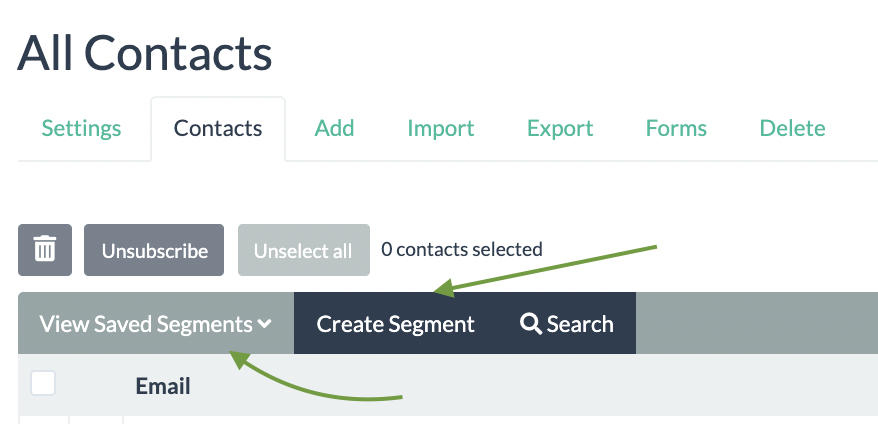
You can also Edit your segment rules either before you save it or anytime after. The segments are dynamic - they are just a saved set of rules and not a fixed audience.
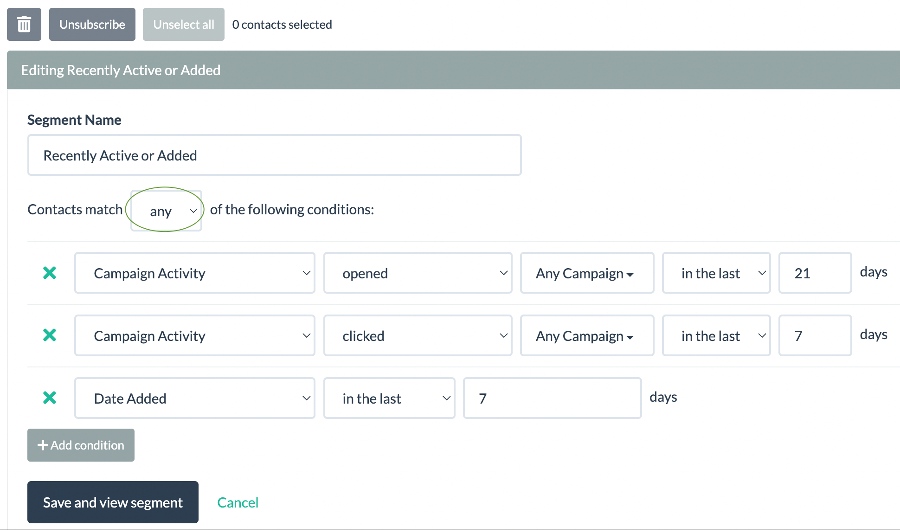
Here is an example of a segment for recently active or added subscribers:
Updated 3 months ago