

Campaign Management - Create, Delete
Campaign Management
Campaign Dashboard
You can filter campaigns by type and status using the checkboxes in the navigation column. You can copy any campaign to create a new one and rename any campaign, regardless of status.
Deleting Older and Test Campaigns
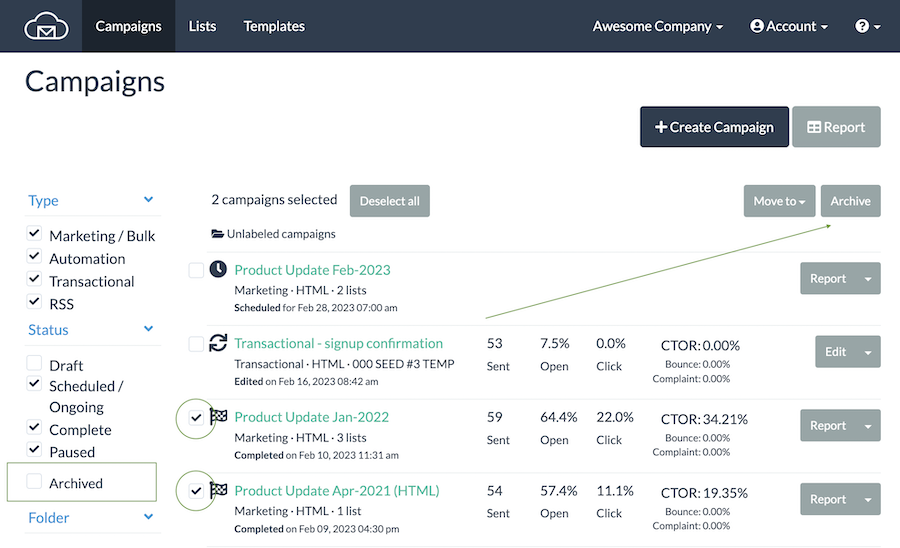
You can only delete campaigns in Draft mode - just click on arrow down icon and select Delete from the menu. Once a bulk campaign is complete or an automation/transactional campaign is activated you can only archive them. On the main Campaigns list select a checkbox next to a campaign then click on "Archive" button on top right of the table. You can see your archived campaigns under the label in the left navigation column.
Updated 3 months ago