

Managing Landing Pages
How to create and manage landing pages
Landing page library of templates (with forms!) are coming Mar 22-24, 2023
FAQ: 1. What can you do with BigMailer landing pages?
- You can setup landing pages hosted either on a) BigMailer domain bigweb.site, or b) a custom site domain that you own.
- Host a landing page in the root of your domain.
- Use landing pages with or without email/data collection forms.
- See landing pages stats - visits, clicks, form conversions
- Upload and use images hosted on BigMailer or use images from your website.
- User forms to collect emails or other data.
- Run polls and surveys to collect more info on your subscribers.
FAQ: 2. How can I use landing pages on free plan?
You can host up to 3 landing pages for free, including a page in the root of your domain. You can host landing pages on BigMailer domain or your own.
How to Create a Landing Page
To create a landing page, go to Campaigns tab in the top navigation, then click Create and select Landing Pages campaign type.
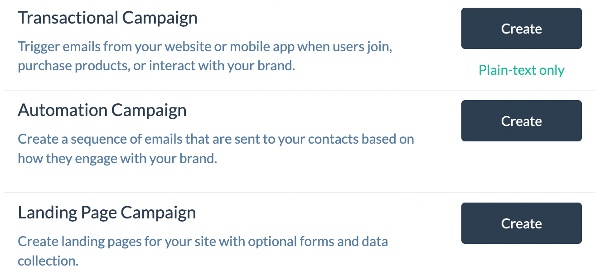
You can start with a pre-built library template as a starting point or use our drag-n-drop editor to build your own page with a unique layout.
To create a new page or modify an existing template you need to first drag some row containers (singe or multi-column) into the template area, then drag the content blocks into the row containers.
How to Add a Form to a Landing Page
Before you add the form to a landing page, you need to define ALL the fields that would be used in the form, on your Fields page. Click on your brand name in the header and select Fields option from the menu.
Email is the only required field that is automatically created in BigMailer. All other fields you have to define yourself.
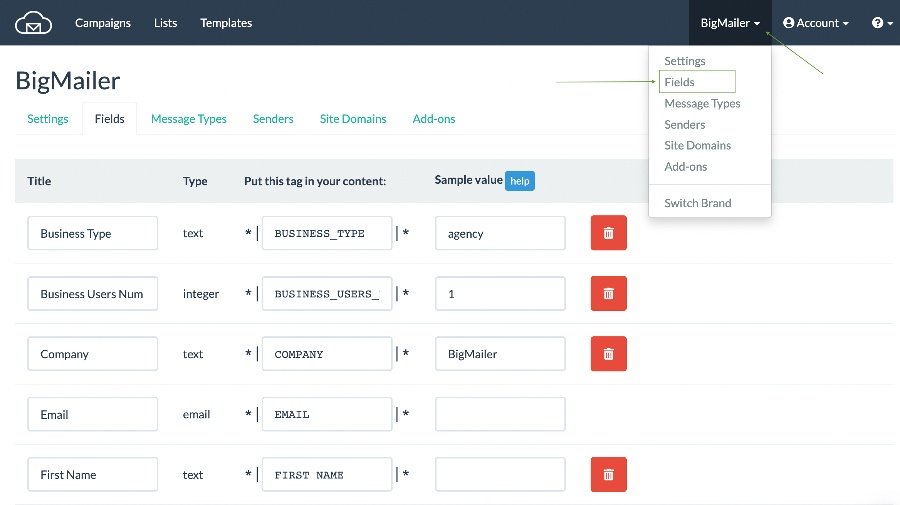
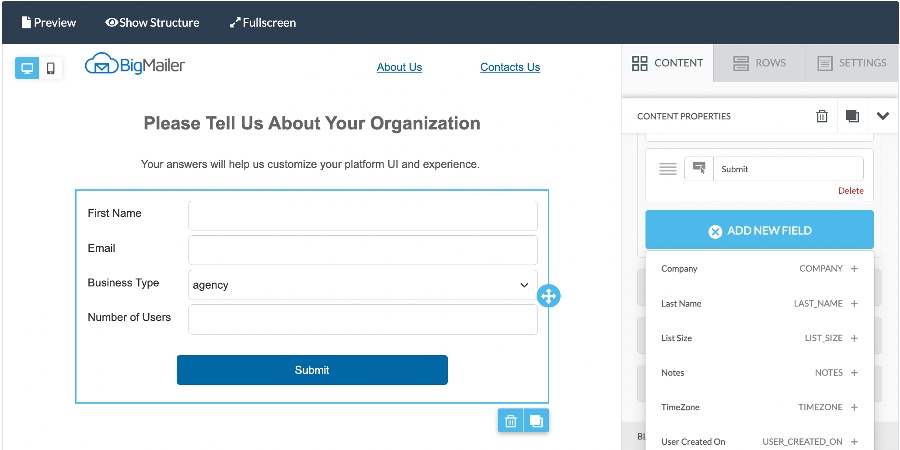
Once you add fields, they will appear in the list under the Form element type.
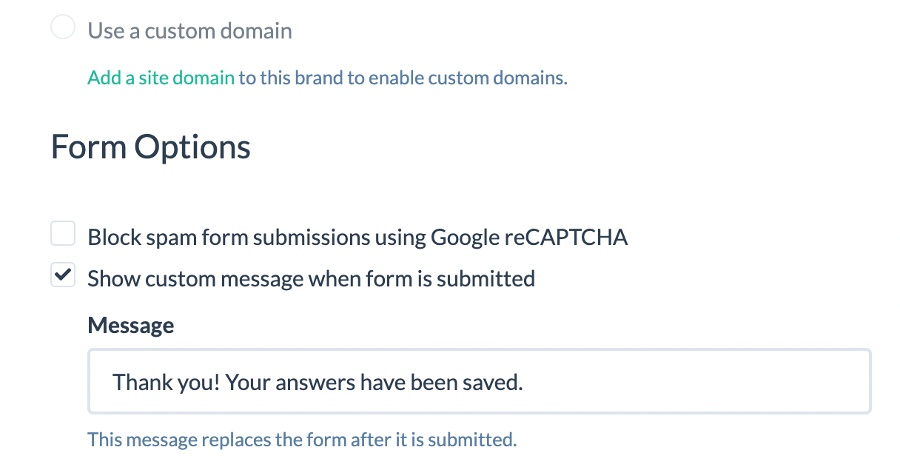
If you want to change the default confirmation message you can do that above the editor.
Landing Page Hosting Options
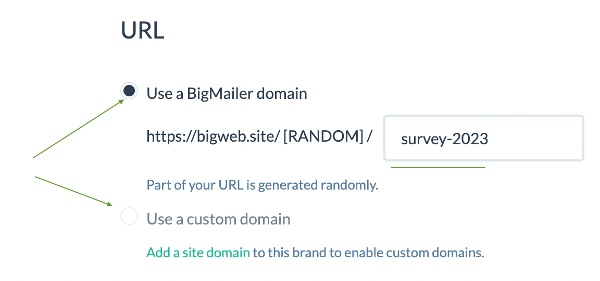
You can use BigMailer domain bigweb.site for hosting your pages and specify a slug. Or, If you own a domain you want to use for your landing pages, you can use that as well.
You will need to either create a CNAME for a new sub-domain that would be used for your website, or update your existing CNAME entry for www to point to BigMailer if you want to host BigMailer landing page as your website's homepage.
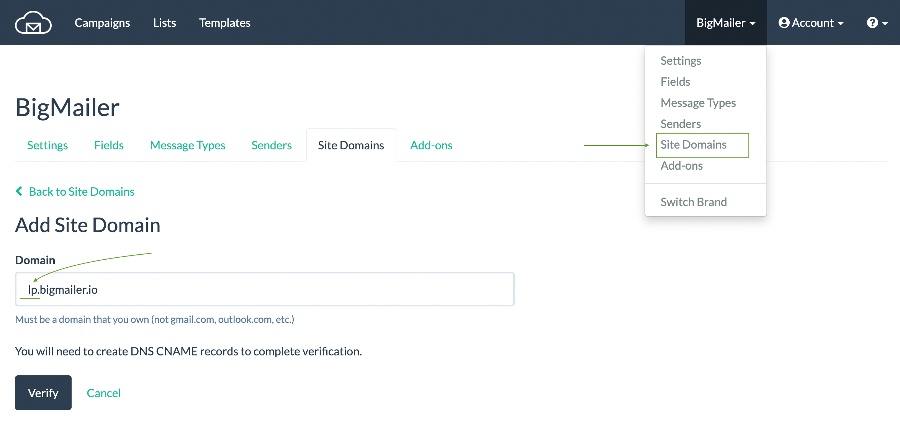
To add a CNAME record you need to have access to your website's DNS records, which are typically controlled by your domain's registrar (e.g. GoDaddy, NameCheap, etc), unless you have a separate provider that manages DNS records.
Updated 3 months ago