

Using Merge Tags
About Merge Tags
Merge tags can be used to send customized content to your contacts. Using merge tags you can personalize the subject line, preview text, mail-from address, reply-to address, and message body of your email campaigns.
A simple merge tag looks like *|FIRST NAME|*. When BigMailer sends a campaign, it replaces the tag with the value of the contacts' first name field. The merge tags available depend on the fields you have defined in the brand, though there are some that are aways available, like Email, First Name and Last Name.
Merge Tags in Subject Line and Preview
You can use merge tags in your email template text or links and these fields - subject line, preview, From label, and custom reply-to label.
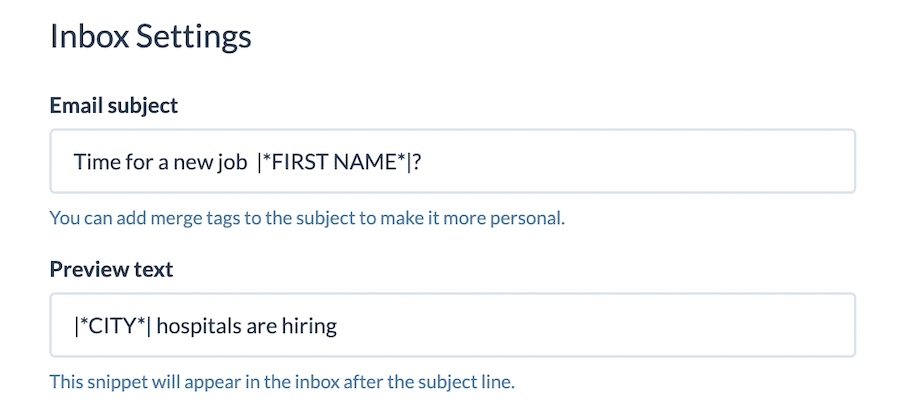
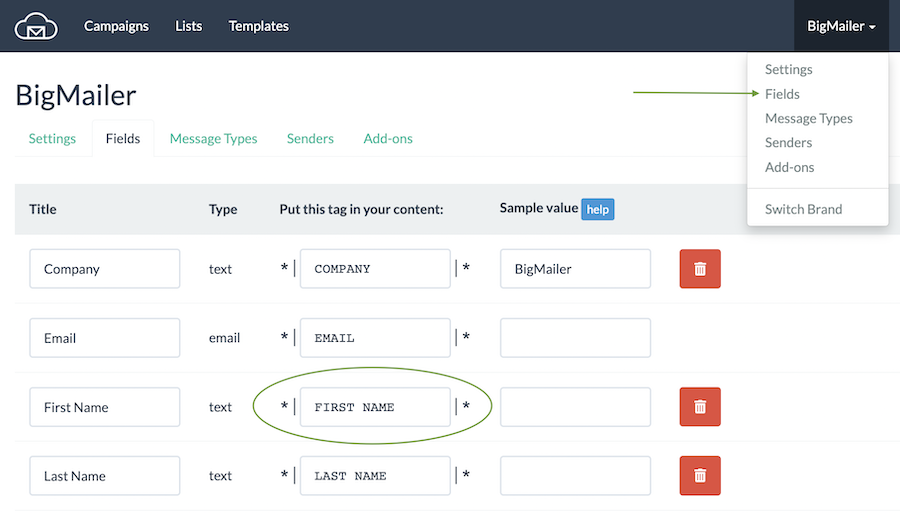
To add merge tags into fields outside email template (subject, preview, from or reply-to label) use *|FIELD_MERGE_TAG|* syntax and copy the merge tag for the field you want to use on your Fields page. You can find your fields page by clicking on the brand name in the header and selecting Fields from the menu.
Merge Tags in The Template Body
You can use template editor UI to insert a merge tag into your email template:
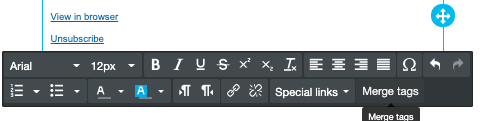
In Drag-n-Drop Editor (while on Text element) click on Merge Tags:
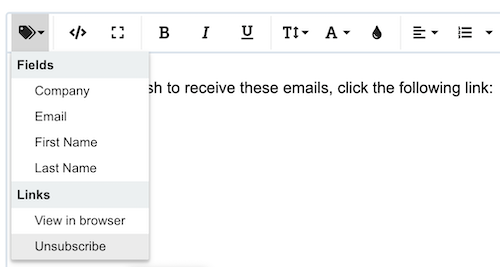
In Classic Editor - position your cursor to where you want to add the merge tag, then select the field you want to drop into template:
BigMailer supports basic conditional merge tags in both Classic and Drag-n-Drop editors:
- You can specify a fallback/default value.
- You can add IF/ELSE conditions.
- You can loop through a set of data, including multiple RSS items.
Default Value
Here is how you would specify default/fallback value:
*|DEFAULT:FIRST_NAME, 'Friend'|*
IF/ELSE Conditions
Using the if merge tag you can make the content of your campaigns conditional on the attributes of the contact. The ELSE section is optional.
*|IF:STATUS = 'paid'|*
Thank you for subscribing!
*|ELSE:|*
Subscribe now and receive 10% off
*|END:IF|*
The if merge tag can also include 1 or more ELSEIF sections:
*|IF:STATUS = 'paid'|*
Thank you for subscribing!
*|ELSEIF:STATUS = 'cancelled'|*
*|ELSE:|*
*|END:IF|*
RSS Items
You can use RSSITEM:IMAGE or RSSITEM:IMAGE_URL merge tags to add an RSS item image into your template. The first will output a full HTML image tag for the item image, the second will just be the url. The first you will want to use with the SAFE / HTML filter so that the content is not escaped, example:
*|RSSITEMS:|* *|SAFE:RSSITEM:IMAGE|* *|END:RSSITEMS|*
Or to output just the latest RSS image:
*|SAFE:RSS:IMAGE|*
If you want to generate the IMG tag yourself and get the URL of the image:
*|RSSITEMS:|* *|RSSITEM:IMAGE_URL|*
*|END:RSSITEMS|*
Or just for the latest image URL:
*|RSS:IMAGE_URL|*
Please refer to this document for more examples.
Updated 3 months ago